


myTuner FM Radio App
4.616.76K Reviews
App Specs
- Version
- Varies with Device
- Updated On
- License
- Free
- Downloads
- 10,000,000+
- Developer
- Appgeneration
- Categories
- Music & Audio
- Platform
- Android, iOS
Screenshots
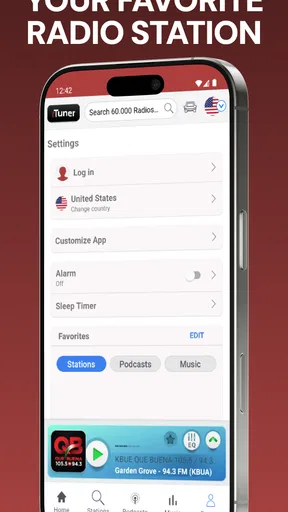
 Analysis by AppCompare
Have you ever found yourself scrolling through endless playlists trying to find the perfect song or station to match your mood? Well, let me introduce you to a little gem I’ve been playing around with lately – the myTuner FM Radio App. This app has been a game-changer for me, and I’m excited to share my thoughts.
Discovering a World of Radio
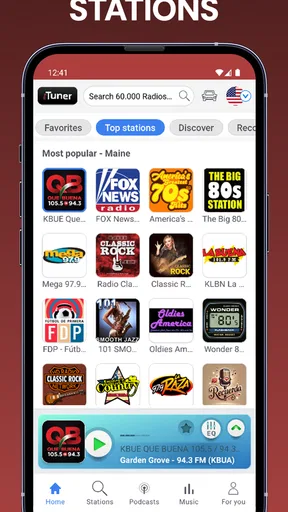
First off, let’s talk about the sheer variety. With the myTuner FM Radio App, you get access to over 50,000 radio stations from more than 200 countries. Whether you’re into pop, rock, jazz, or even talk radio, there’s something for everyone. I’ve discovered stations I never would have found otherwise, diving into regional music scenes I didn’t even know existed!
Easy Navigation and User-Friendly Interface
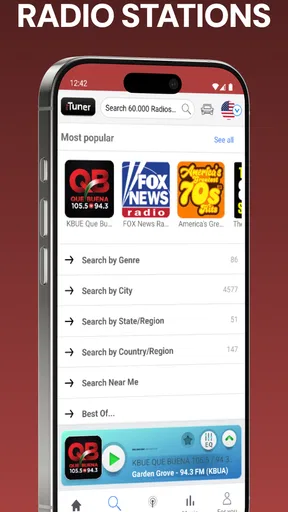
One thing that really stood out to me is how easy it is to navigate. The interface is clean and intuitive, which means you won’t be pulling your hair out trying to find your favorite station. You can search by genre, country, or even check out the top stations list if you’re looking for some inspiration. It’s all laid out in a way that makes sense, so you can spend more time listening and less time fiddling with settings.
Customizable Experience
Now, let’s talk about customization. I love that you can mark stations as favorites. This makes it super quick to jump back to the ones you can’t get enough of. Plus, the app remembers your preferences, so it feels personalized to your tastes. It’s like having a personal DJ in your pocket!
Podcasts and More
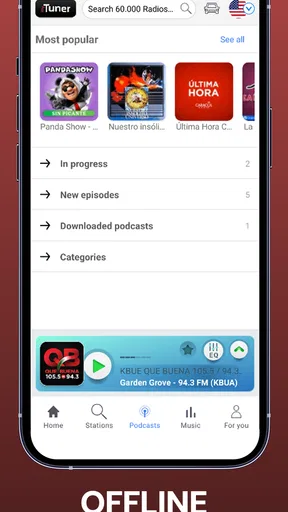
But wait, there’s more. Aside from radio stations, the app also offers a plethora of podcasts. Whether you’re into true crime, comedy, or education, myTuner has you covered. It’s a fantastic way to mix up your listening habits and discover new content.
Offline Features and Connectivity
Now, I know what you’re thinking – what about when I don’t have access to Wi-Fi? Well, myTuner has a nifty feature that lets you record your favorite stations to listen offline. It’s perfect for those long commutes or when you’re out of signal range. Just make sure to download your favorites beforehand!
Staying Up-to-Date
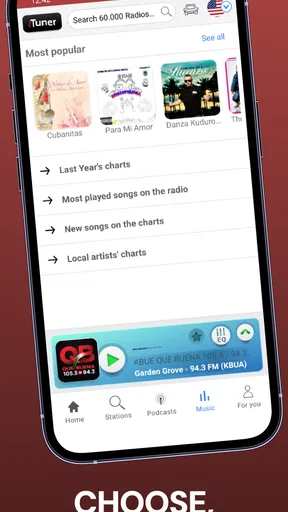
The app also keeps you informed with news updates and trending music charts. It’s like having a little bit of everything right at your fingertips. I find it super handy to catch up on the latest hits or news snippets while I’m on the go.
Worth Reading Before You Choose

Baby Panda World Brings Quick Play to Modern Phones, but Its Game Library Feels Busy

ESPN’s Live Game View Makes Following Close Games Easier

QuizzLand Review: A Good Fit for Short Trivia Breaks, Not Every Player

Basketball Stars: Multiplayer Is Fast, but Can It Recover When Matches Go Wrong?

WEBTOON Turns Phone Updates Into a Better Reading Routine

Link to Windows Runs on Shared Habits, Not Social Feeds
Final Thoughts
So, is the myTuner FM Radio App worth downloading? Absolutely. It’s been a delightful addition to my daily routine, offering a vast selection of stations and a user-friendly design that anyone can appreciate. Whether you’re a casual listener or a radio aficionado, this app is a must-have.
Go ahead and give it a try. Who knows, you might just find your new favorite station or podcast. Happy listening!
Pros
- Wide variety of global radio stations.
- User-friendly interface for easy navigation.
- High-quality audio streaming with minimal lag.
- Customizable favorites for quick access.
- Supports podcasts and recordings.
Cons
- Contains ads that can interrupt listening.
- Limited features in the free version.
- Requires internet connection for streaming.
- Some stations may not be available.
- Occasional buffering on slower networks.
FAQs for myTuner FM Radio App
What features does the myTuner FM Radio App offer?
The myTuner FM Radio App provides access to over 50,000 radio stations worldwide, allowing users to enjoy a wide variety of music, news, sports, and talk shows. It also supports podcast streaming and offers a user-friendly interface with features like favorites, sleep timer, and alarm functionality for a personalized listening experience.
Is an internet connection required to use the myTuner FM Radio App?
Yes, an internet connection is necessary to stream radio stations and podcasts on the myTuner FM Radio App. The app relies on data or Wi-Fi to deliver live streaming content. It’s advisable to use Wi-Fi to avoid high data usage and potential charges, especially when streaming for prolonged periods.
Can I use the myTuner FM Radio App to listen to local radio stations?
Absolutely! The myTuner FM Radio App allows you to tune into a vast selection of local radio stations from around the world. You can search by country, genre, or even specific station names, ensuring you can always find your favorite local channels no matter where you are.
Does the myTuner FM Radio App support offline listening?
Currently, the myTuner FM Radio App does not support offline listening. The app requires a live internet connection to stream radio stations and podcasts. However, you can save your favorite stations for quick access when connected to the internet, making it easy to find and listen to them again.
How can I customize my experience on the myTuner FM Radio App?
You can personalize your listening experience on the myTuner FM Radio App by creating a list of favorite stations for easy access. Additionally, the app offers a sleep timer and alarm feature to help integrate radio listening into your daily routine. These tools enhance usability and ensure a tailored experience.


